Auto Web Login to School Internet
Auto Web Login to School Internet
For
For account-password-needed-only systems. Exempli gratia CJLU
Usage
Visit gateway website to login
F12to open console, and switch to network page. clear all and refresh the page
Manually login with a wrong account-password (to have a easier test later without logout) A login request should occur in
networkpage. Open it and check theheader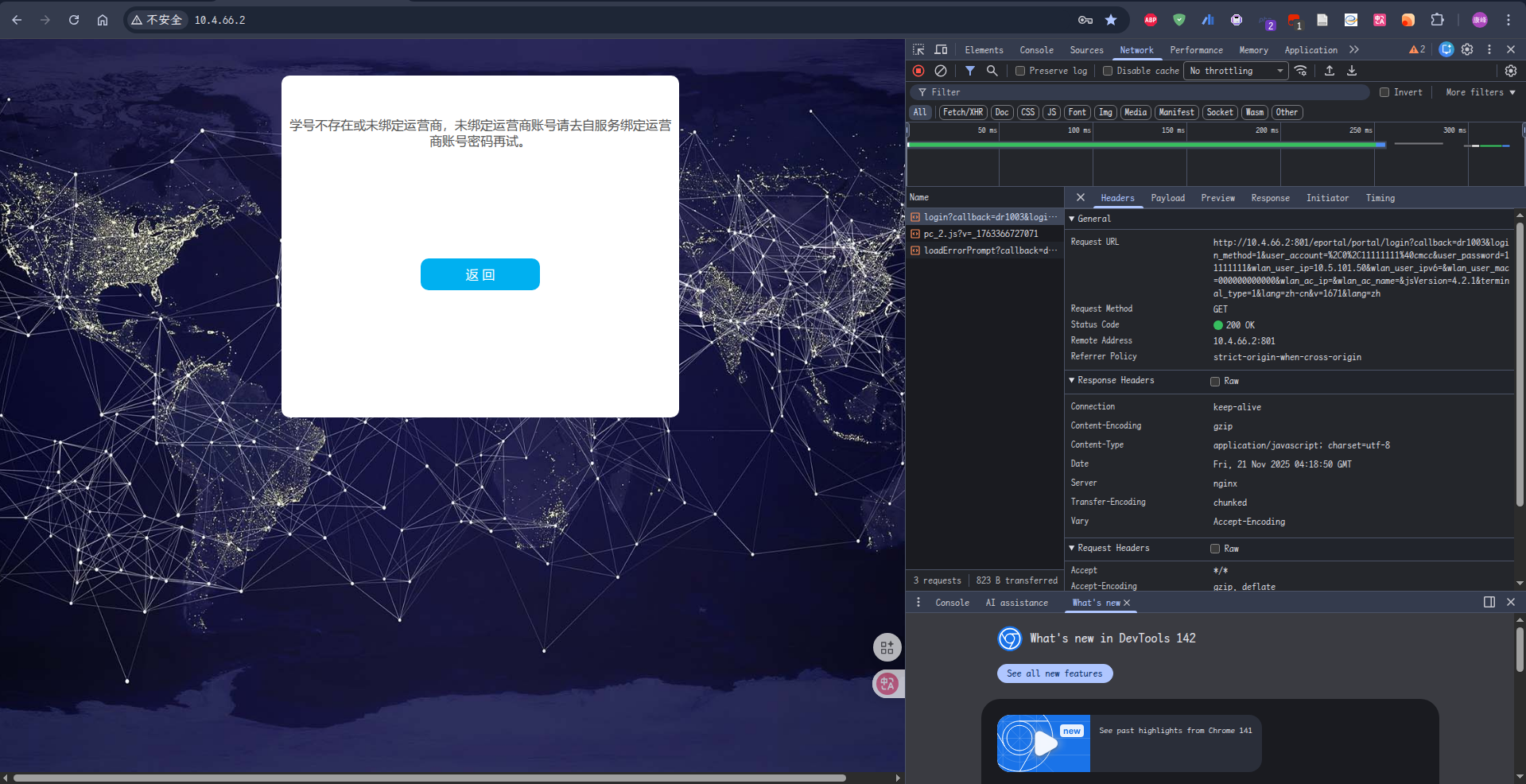
Copy as
cURL. And paste into the bash script, edit account and password.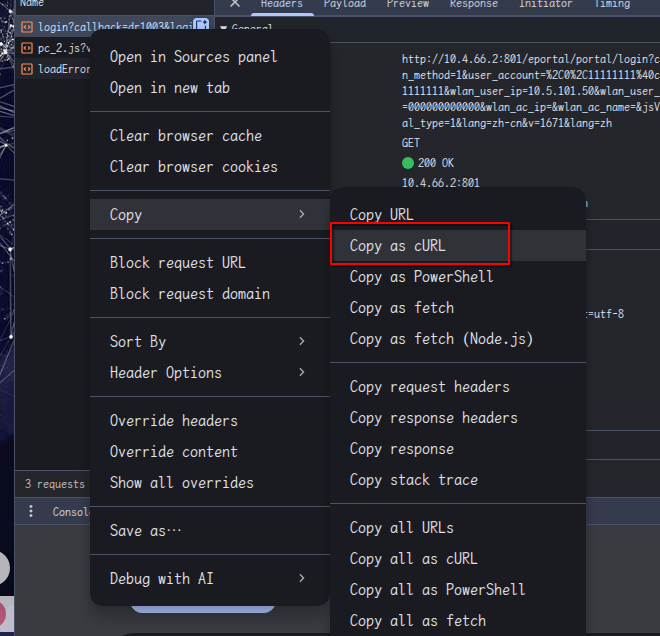
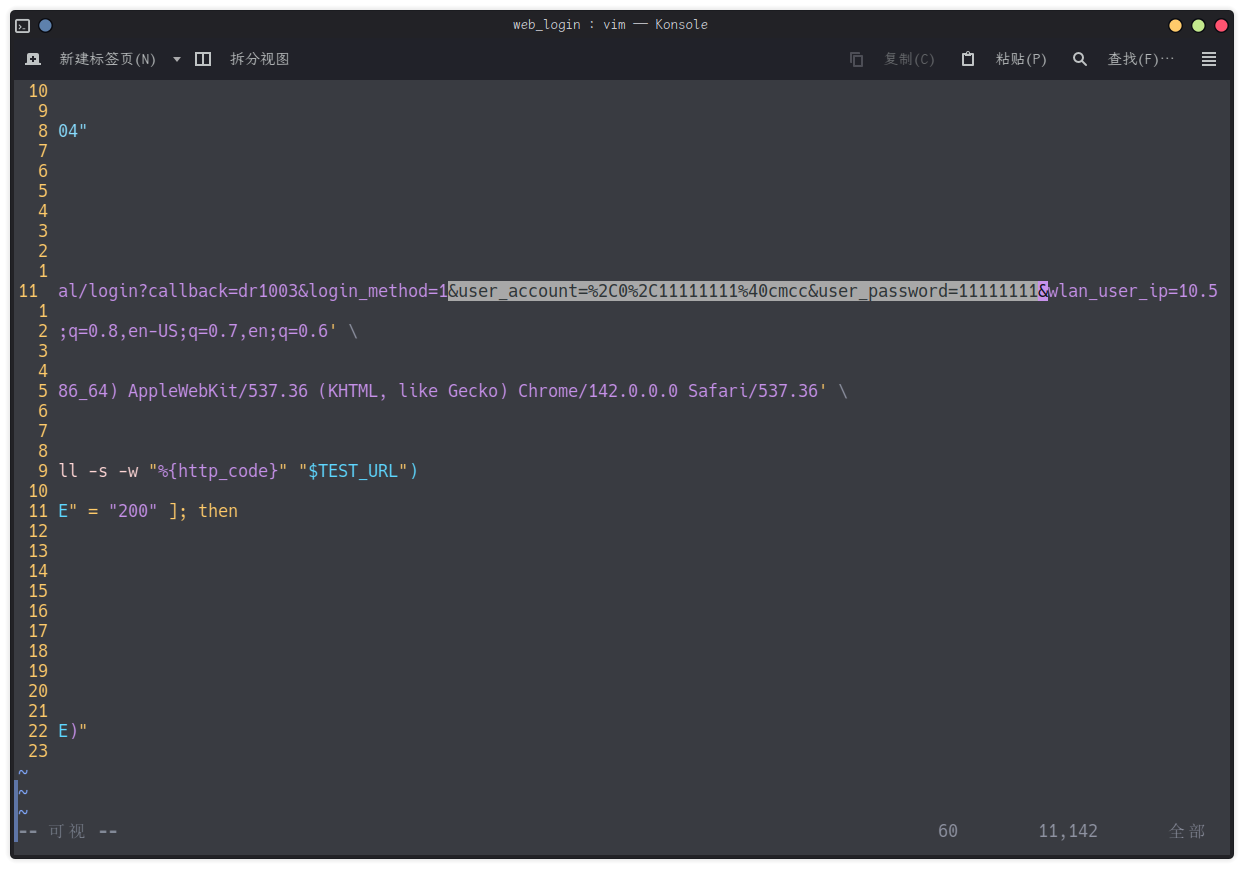
Edit script path in
school_net_web_login.service; Edit crontab config, run every 3 hour by defaultRun bash script to login and enable systemd service and crontab task.
OpenWRT config
After editing script with your own
cURLcommand, upload the script to the router1
scp /path/to/script root@ip.to.your.router:~/web_login.bash
Login to the dashboard of OpenWRT
Add crontab task
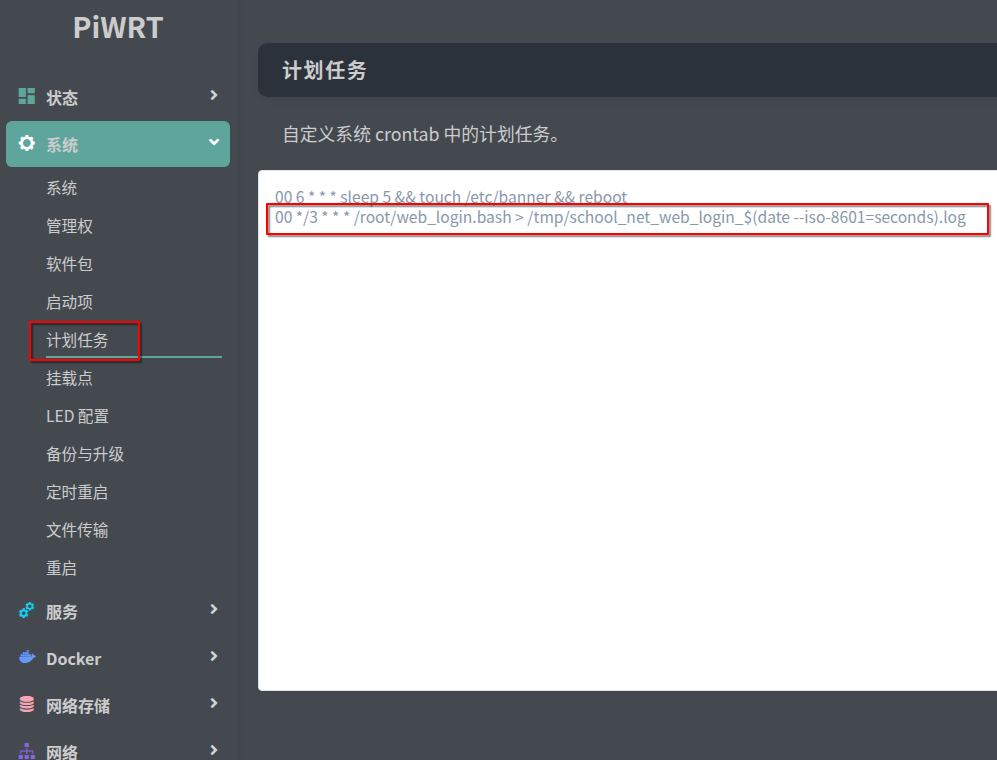
1
00 */3 * * * /root/web_login.bash > /tmp/web_login_$(date --iso-8601=seconds).log
Add task on boot
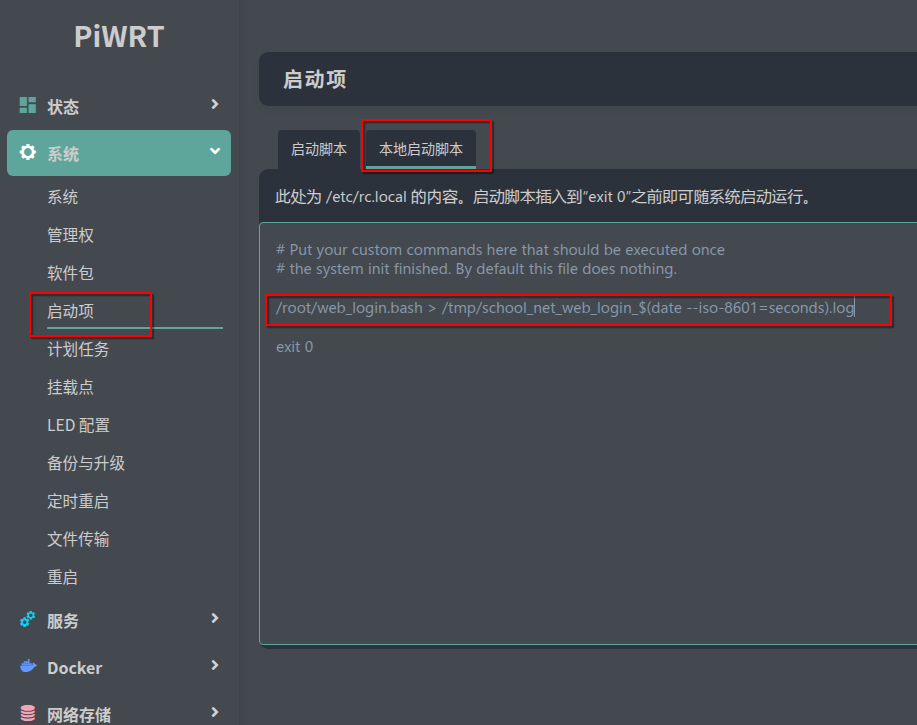
Reboot the router or manually run script via SSH